For Mac
Every character timeline, lined up on one axis
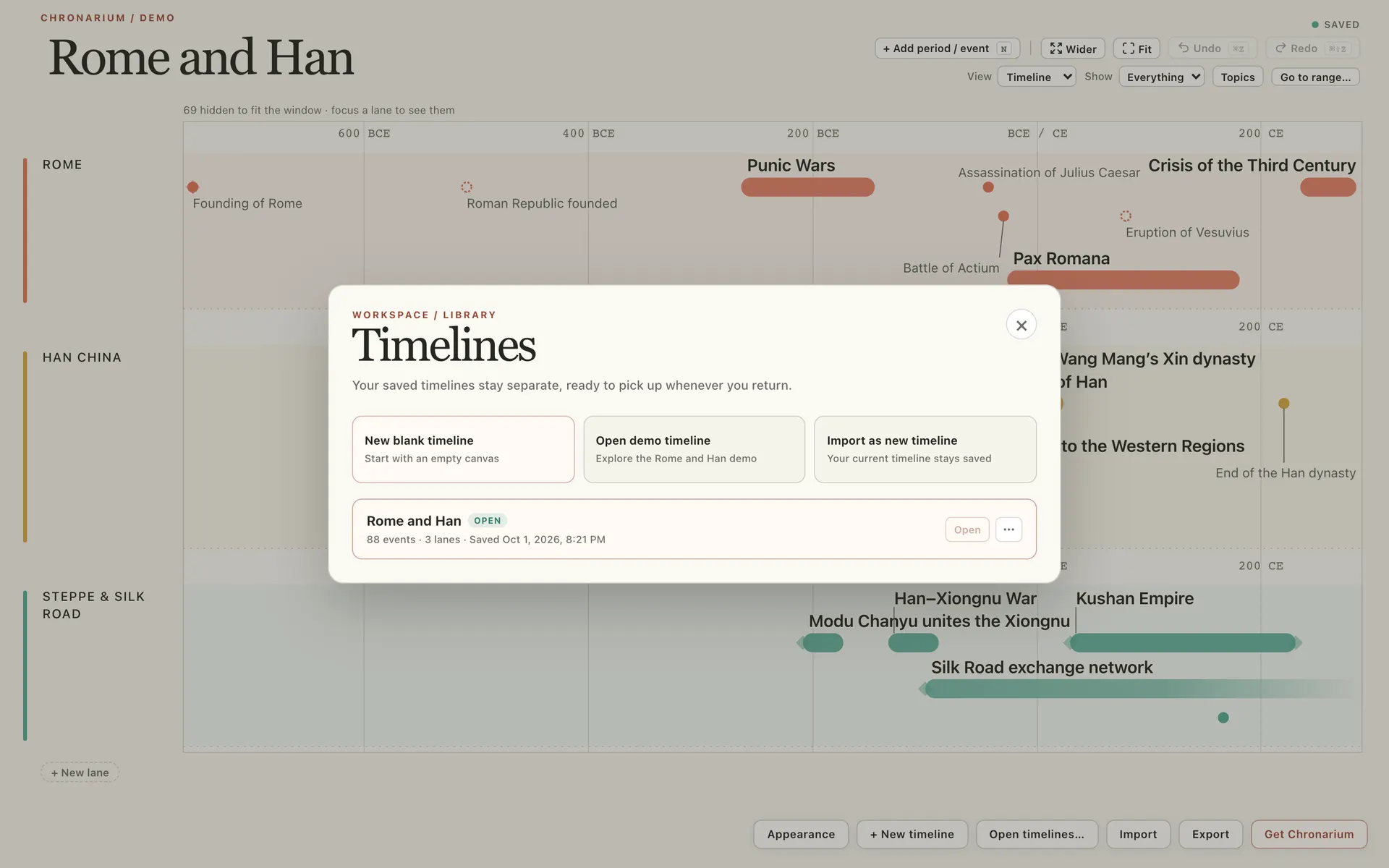
Chronarium gives each character, faction or storyline its own lane on one shared time axis, so every point of view lines up year by year. Open any event into a concept map of who caused what, then close it and you are back at the same place in the chronology.
4-week free trial. Full access, no card needed.macOS 13 or later.
Available for Mac
$39 per year · $79 lifetime
4-week free trial. Full access, no card needed.
Years
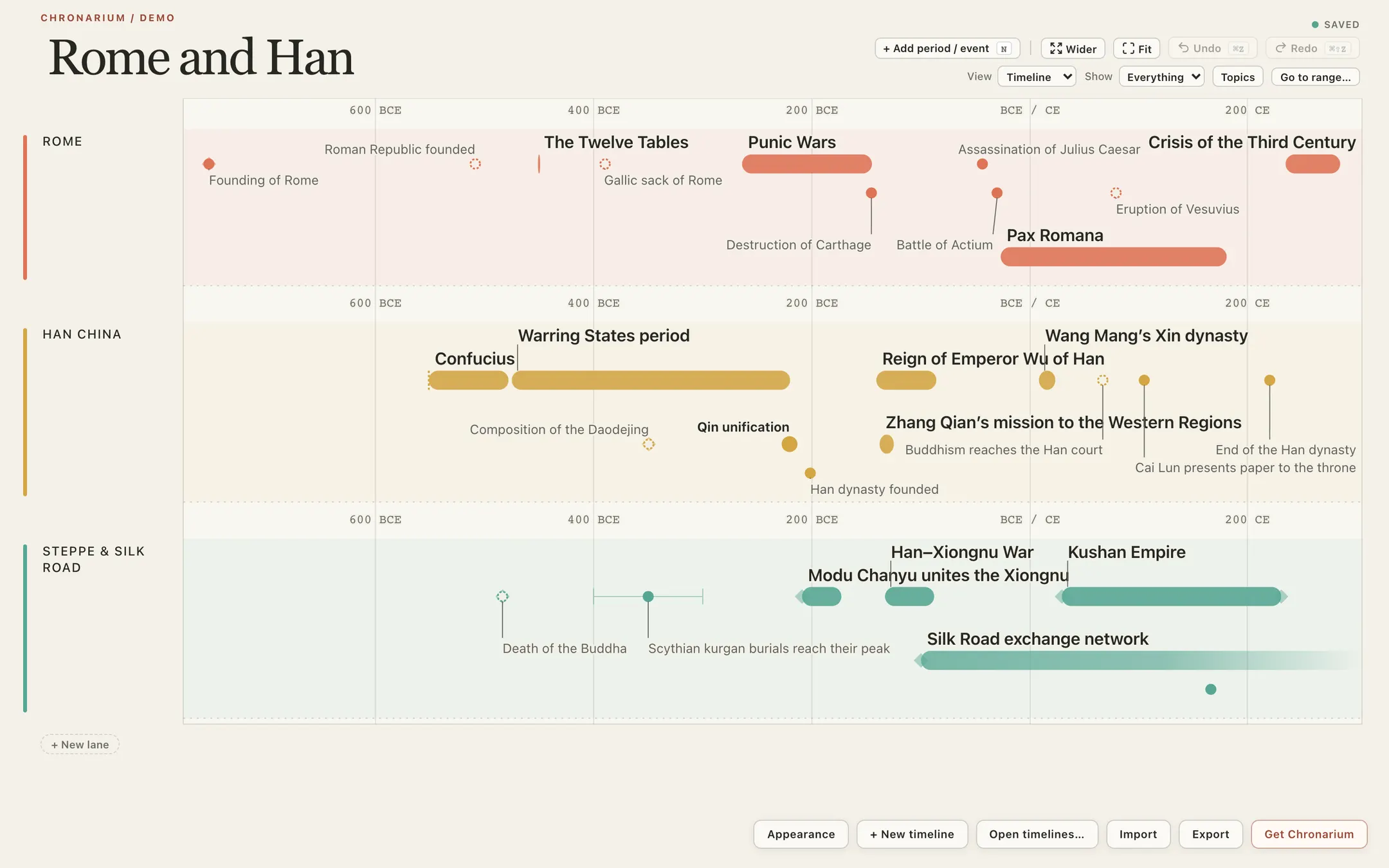
Ordinary years, BCE included, no custom calendars
Chronarium uses ordinary year numbers, and BCE dates work. There are no custom calendars and no named eras. Settings on real-world or alternate-history dates fit well.
Uses
What writers use Chronarium for
Points of view, in step
Give each point-of-view character a lane on the shared axis. Where chapters overlap, events line up year by year, and empty stretches show as gaps.
A series bible in lanes
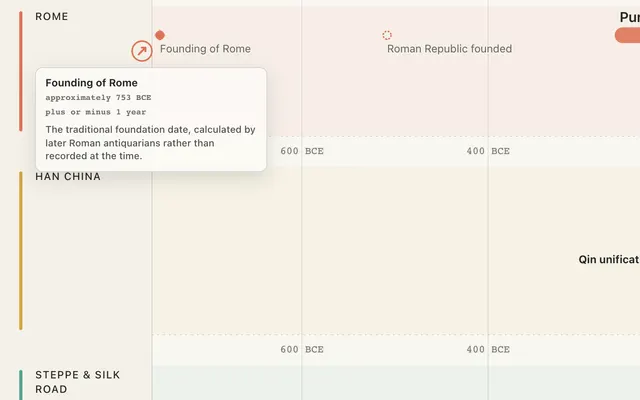
Keep the deep history of the series in one file: reigns, wars and migrations, each on its own lane. Circa and uncertain dates look different from exact ones, so a fuzzy backstory stays honest.
Alternate history that stays consistent
Build the alternate history timeline next to the real record: one lane for the divergence, others for what follows. Zoom from centuries down to a single year to check cause against effect.
Historical fiction, grounded in dates
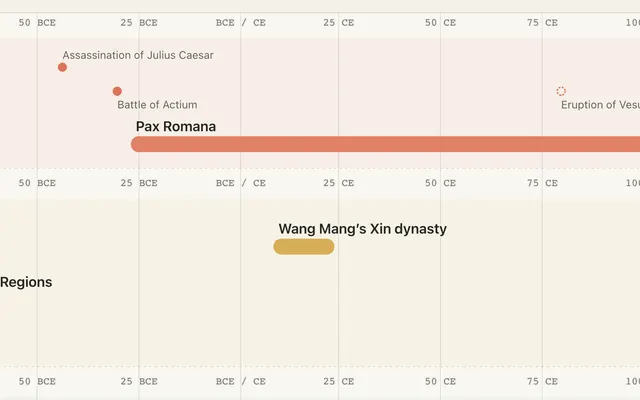
Set real events on lanes beside your characters, and the historical fiction timeline shows what was happening when each scene takes place. BCE dates work for older settings.
Zoom
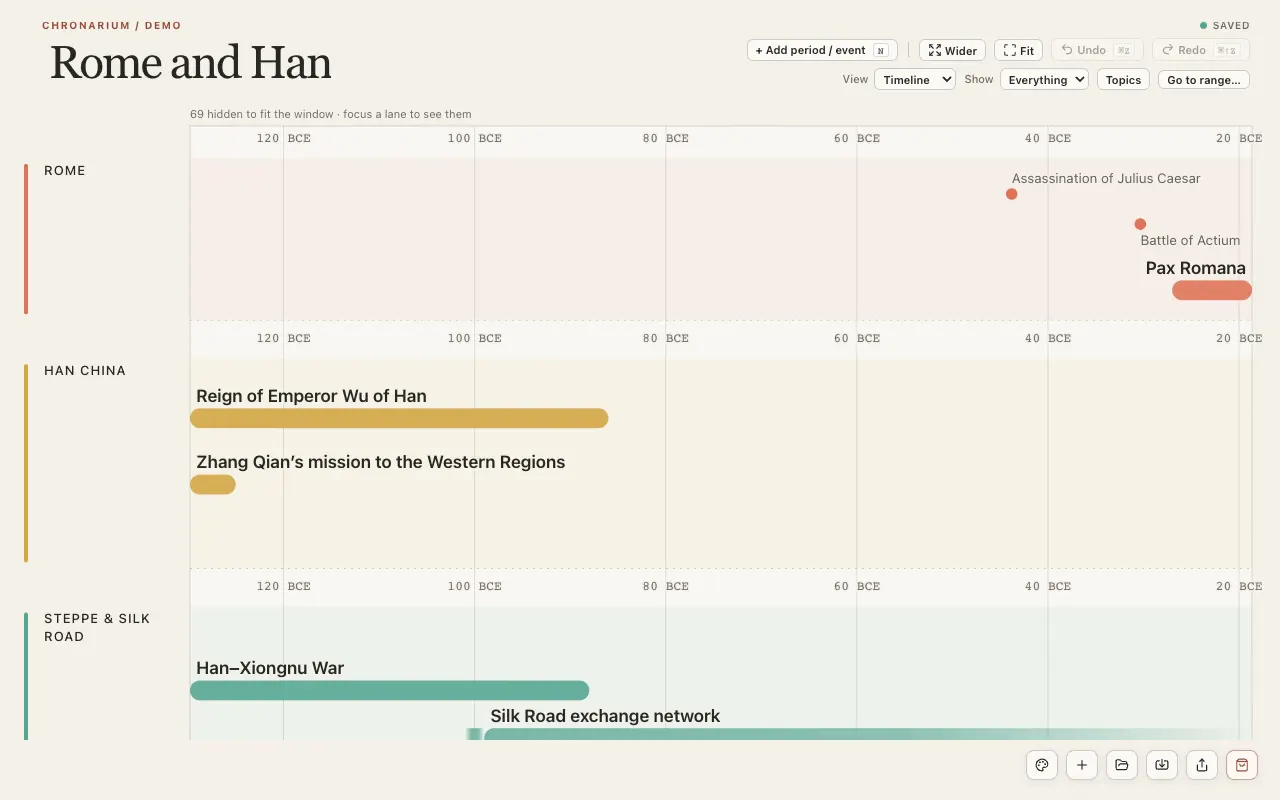
Zoom in and the names appear
Zoom in on a busy stretch and entries spread apart, so names too crowded to show at a wide view appear. The axis shows whole years, never months or days, and the "Show: Everything / Major only" filter keeps a long span readable.
Views
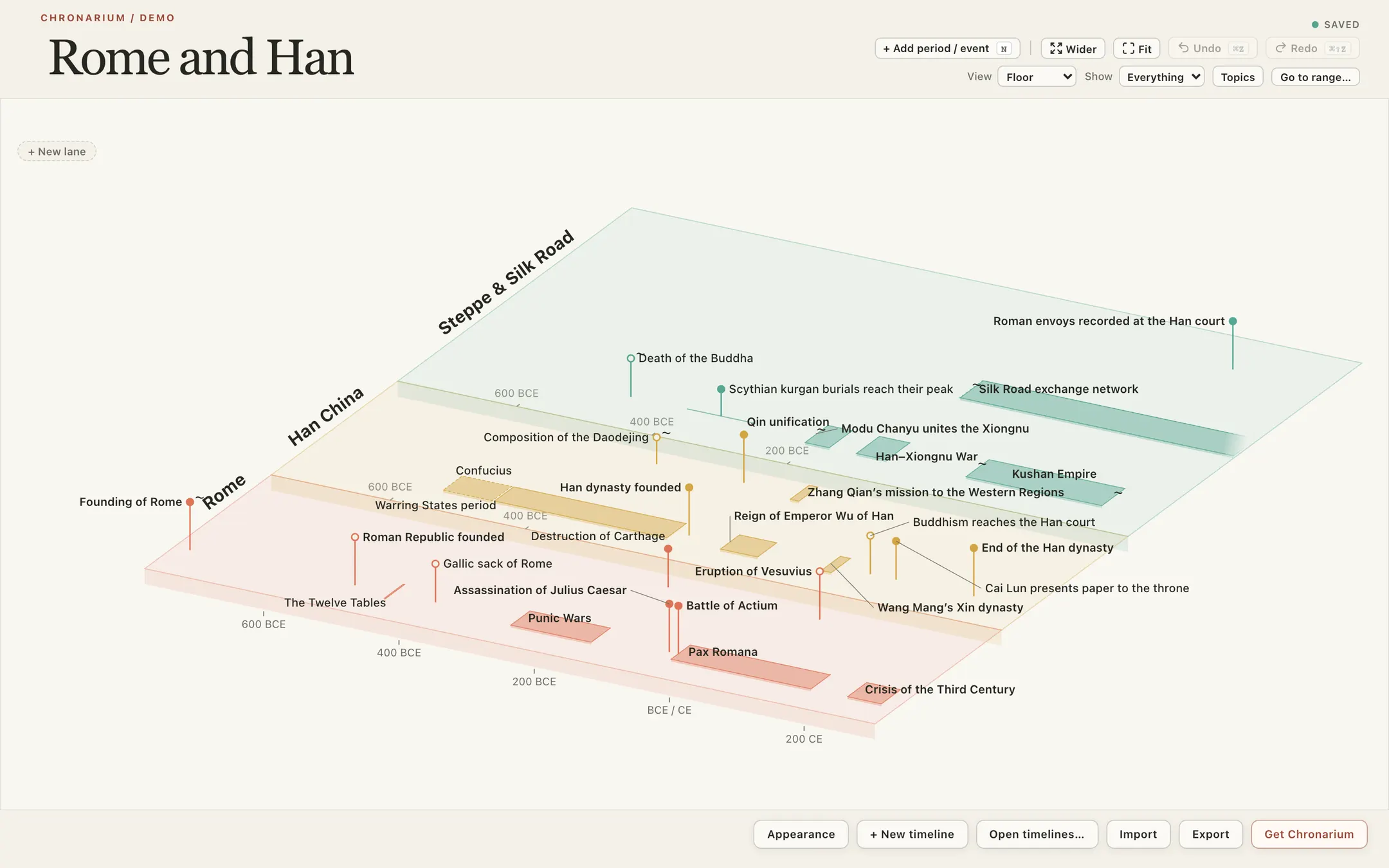
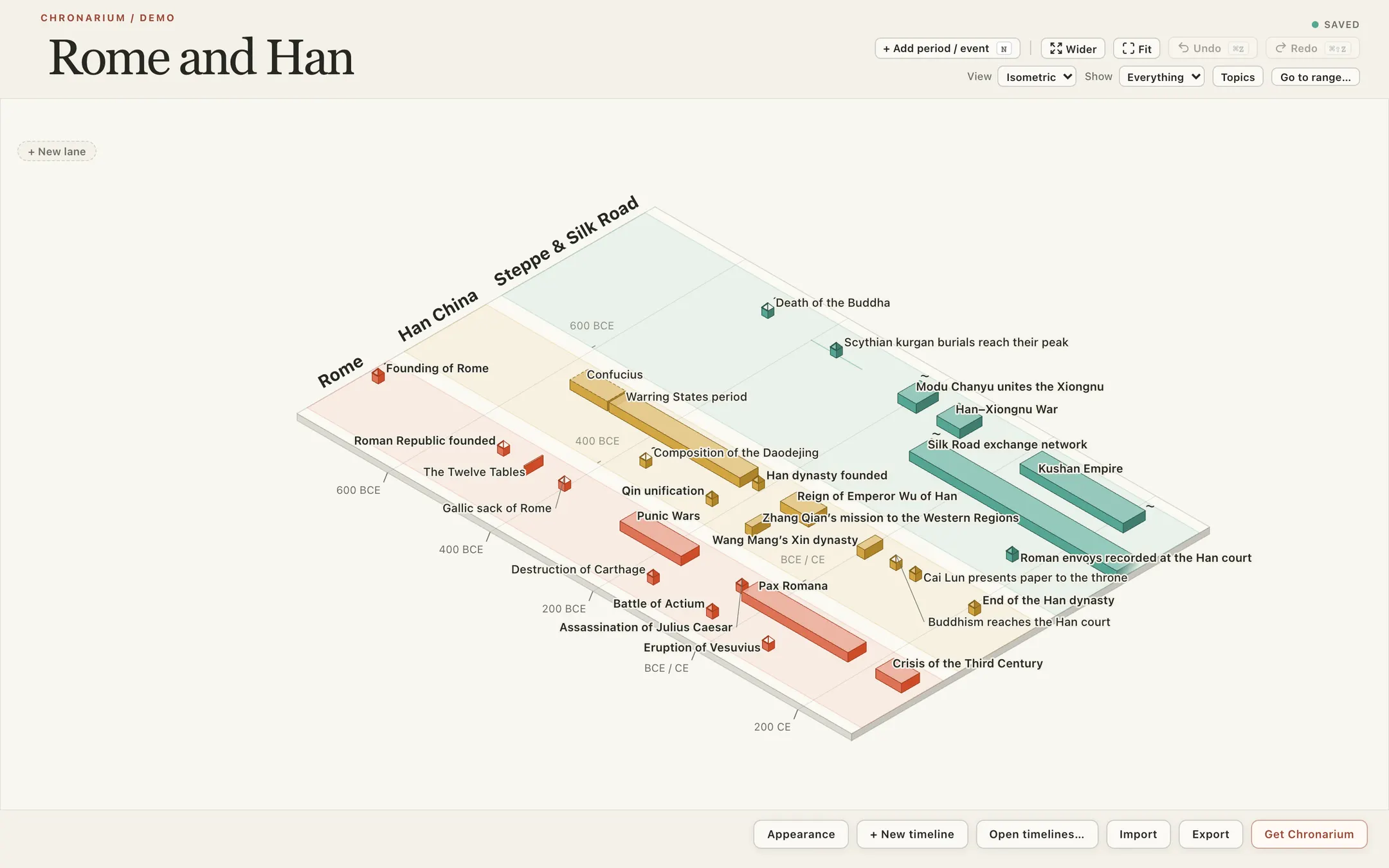
Floor and Isometric views
Beside the flat Timeline, Floor and Isometric show the same lanes in depth, at a fixed angle. They share the timeline's zoom and selection, a movable line can mark one moment across every lane, and entries can be edited in place.
Concept maps
Open any event into its map
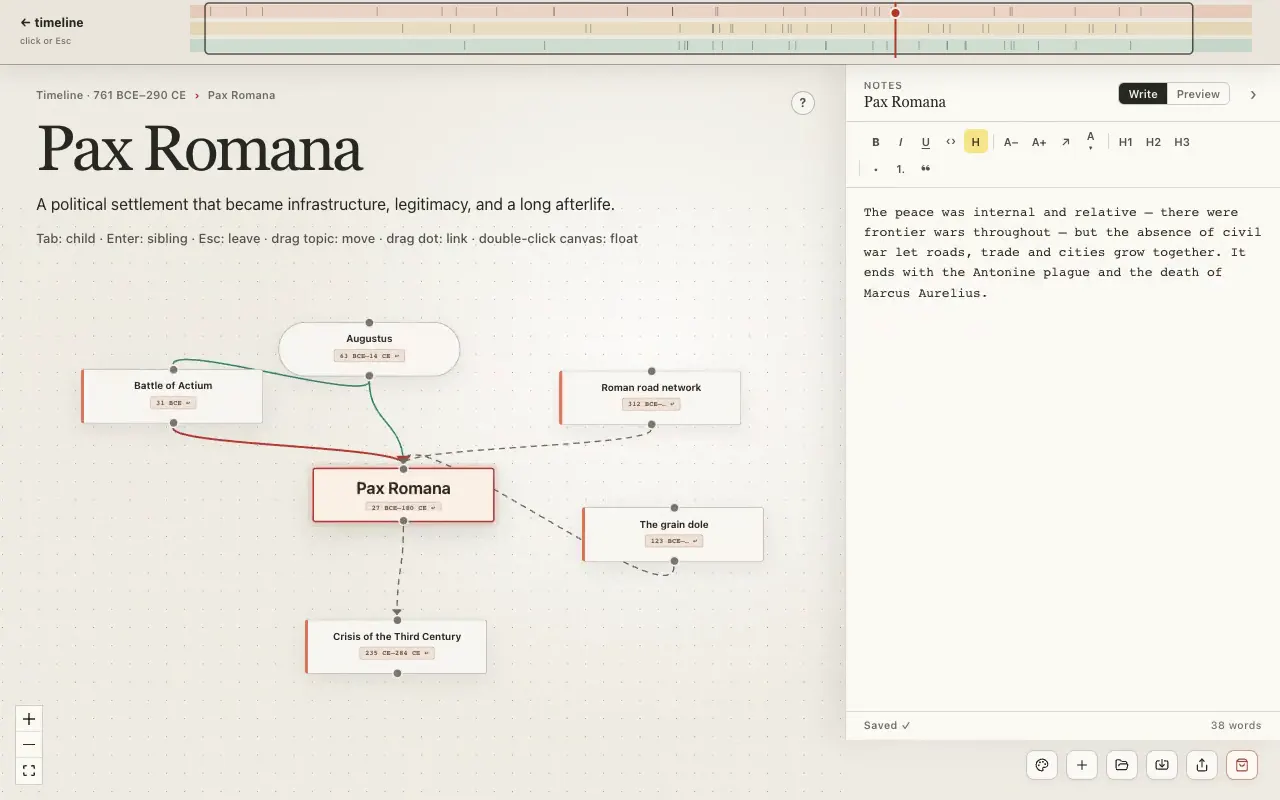
Any event or period opens into a concept map of its people, causes and consequences. Close the map and you are back at the same spot in time.
Your files
Your files stay on your Mac
Timelines are files on your own Mac. There is no account and no cloud copy, and export is always free, even after the trial.
Pricing
Chronarium is $39 per year or a $79 lifetime licence, with prices in US dollars, and either way you start with a 4-week free trial that asks for an email address, no card.
4-week free trial. Full access, no card needed.macOS 13 or later.
4-week free trial. The trial needs an email address, no card. At the end Chronarium turns read-only: nothing is deleted, you can still open, view, search and export everything, and a licence brings editing back.
Yearly
$39per year
The yearly plan renews once a year, and you can cancel any time: click "Your plan" at the right of the bottom bar, then "Manage billing", or email support@chronarium.app.
- Every feature included
- Automatic app updates
- Free export, always, even after trial
Lifetime
$79lifetime
$79 lifetime means one payment, and the licence never expires.
- Every feature included
- Automatic app updates
- Free export, always, even after trial
Email support@chronarium.app within 30 days of any payment for a full refund. Refund terms.
Who it’s for
For people who keep history timelines
Family historians
Give each person or family branch its own lane, and enter approximate birth years as circa.
Charlotte Mason homeschoolers
Keep a Book of Centuries that maps who lived at the same time, lane by lane.
Anyone with real dates
If you are making a timeline with real dates, including BCE, circa and uncertain ones, it has a home here.


Is there a free trial?
Yes. The trial runs 4 weeks and includes every feature. It needs an email address, no card.
Is there a Windows version?
Mac only today. A Windows version is planned next, with no date yet.
Can I invent my own calendar for my world?
No. Chronarium runs on ordinary year numbers, and BCE dates work. There are no custom calendars and no named eras, so real-world and alternate-history settings fit well.
Can I import my existing notes?
Two ways: open a Chronarium project file, or paste a list of entries into a timeline. Nothing else imports, so notes from other apps come in as pasted lists.

Your whole world, organized at a glance.
4-week free trial. Full access, no card needed.macOS 13 or later.
Available for Mac
$39 per year · $79 lifetime
4-week free trial. Full access, no card needed.